Domotz allows to define alerts at a network level (related to general problems of the network) and at device Level. This article shows how to work with Network Alerts. Please refer to Device Alerts to see how to work with alerts at a device level.
Network Event Alerts can be configured from the Collector Alerts section:
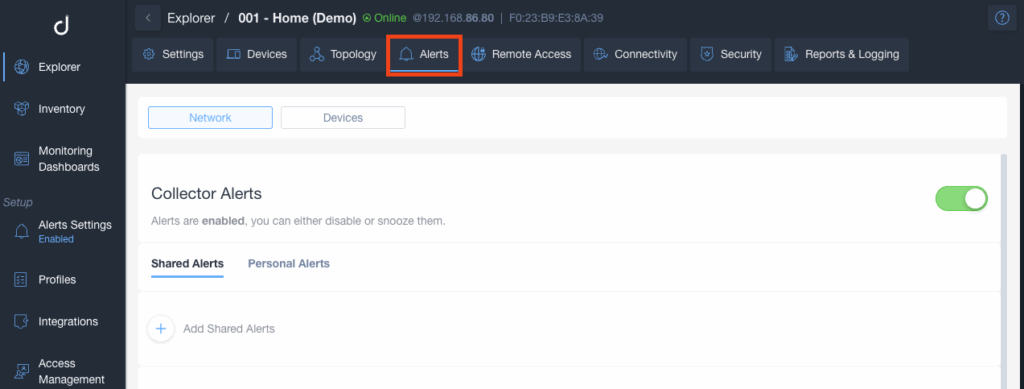
Personal and Shared Alerts
Domotz supports two types of alerts: Personal Alerts and Shared Alerts.
- Personal Alerts are tied to an individual user and notify only that user based on their personal alert preferences.
Personal Alerts
Personal Alerts are delivered only to your account email address or to your mobile device via push notifications.
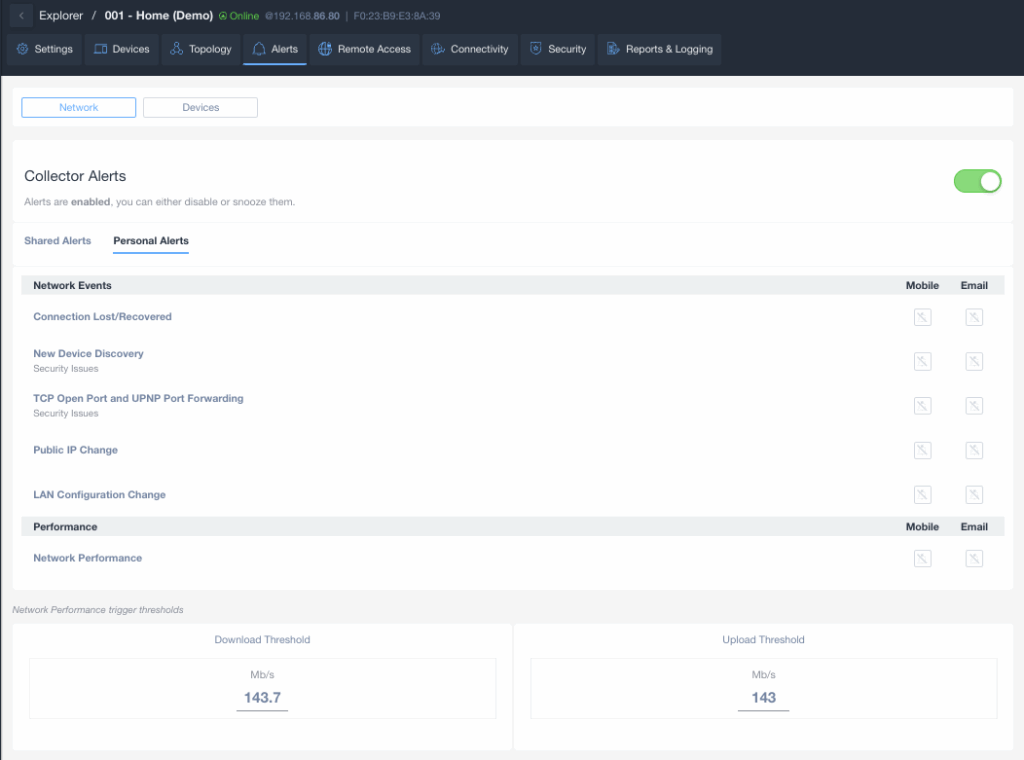
Personal Alerts Events Types
The available Personal Alerts for a Network are the following:
- Connection Lost / Connection Recovered
- New Device Discovery
- TCP Open Port and UPnP Port Forwarding
- Public IP Change
- LAN Configuration Change (Network Gateway, DNS, and DHCP Server monitoring)
- Network Performance (Download and Upload speed thresholds)
Shared Alerts
Shared Alerts are delivered to a contact channel. A Shared Alert is a predefined profile that allows you to associate a selected set of events (network or device events) with your preferred notification channel.
A contact channel can be a PSA or ticketing system, a webhook, an integrated platform, or a distribution list of email addresses. For instructions on how to create a Shared Alert profile, please refer to Shared Alerts and Ticketing Systems.
When you create a Domotz account, a default Network Monitoring Shared Alert profile is automatically created and applied to all Collectors. This profile ensures that critical network-level events are monitored and notified from the moment your Collector comes online.
The default Network Monitoring profile includes the following events:
- Connection Lost
- Connection Recovered
- Public IP Change
- TCP Open Port and UPnP Port Forwarding
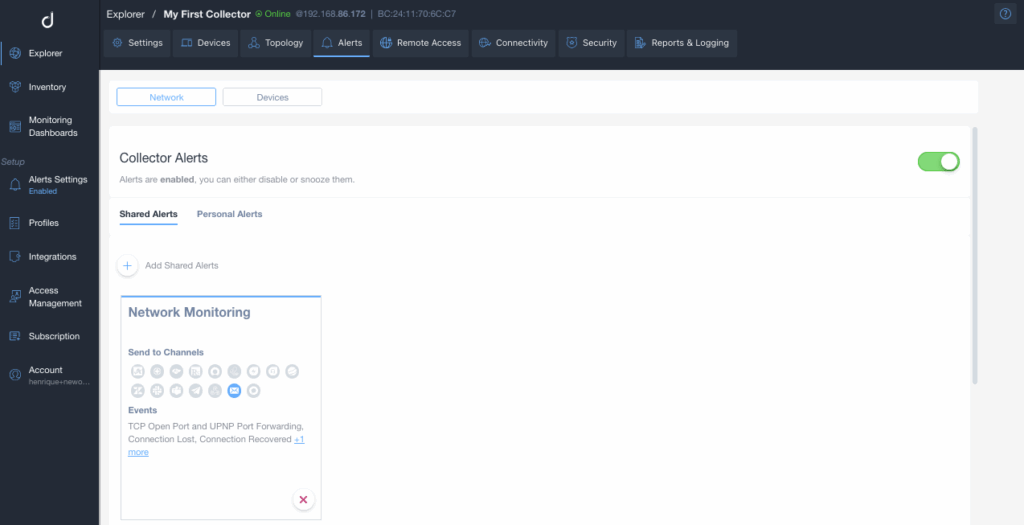
Shared Alerts Event Types
The available Shared Alerts for a Network are the following:
- Connection Recovered
- Connection Lost
- Speed Test Threshold (Download and Upload speed thresholds)
- Device Discovery
- Public IP Change
- LAN Configuration Change (Network Gateway, DNS, and DHCP Server monitoring)
- TCP Open Port and UPNP Port Forwarding
- Feature Discovery
Please refer to Device Alerts to know more about alerts at a device level.
Network Connection Lost Explanation
The Connection Lost alert will only activate if the Collector fails to establish contact with our Cloud for a minimum of 8 minutes.
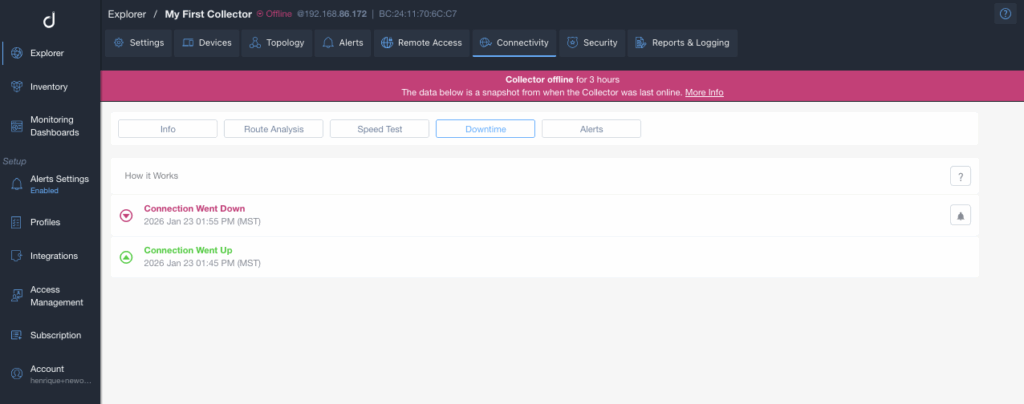
In the Collector Downtime tab (Webapp → Explorer → Connectivity section → Downtime tab), when you see a bell icon (🔔) next to a disconnection event, it indicates that the event triggered an alert from the cloud perspective. These events are identified as Collector Connection Lost alerts.
This means there was a disruption in the connection between the Collector and the Domotz cloud service lasting at least 8 minutes.
On the other hand, entries considered as Simple Disconnections are routine disconnection events that don’t trigger alerts (these didn’t last for at least 8 minutes). These events might indicate temporary disruptions in the Collector connectivity but are not considered critical, so they will not trigger an alert.
The bell icon (🔔) serves as a clear visual indicator for events considered Connection Lost; entries without it are considered Simple Disconnections and will not trigger an alert.